Venue guides / Your sound setup
The affordable starter kit
No kit?
Your first
karaoke night
starts here.
You bring the venue. We’ll bring the songs.
Here’s an affordable way to add the sound.
Around £250 for the sound kit. £256.44 when checked.
Computer, lyrics screen, internet and Future Karaoke plan/pass are additional.
YOUR VENUE. YOUR EQUIPMENT.01—04
Sound sorted for~£250The four-piece shortlist
Two mics. More duets.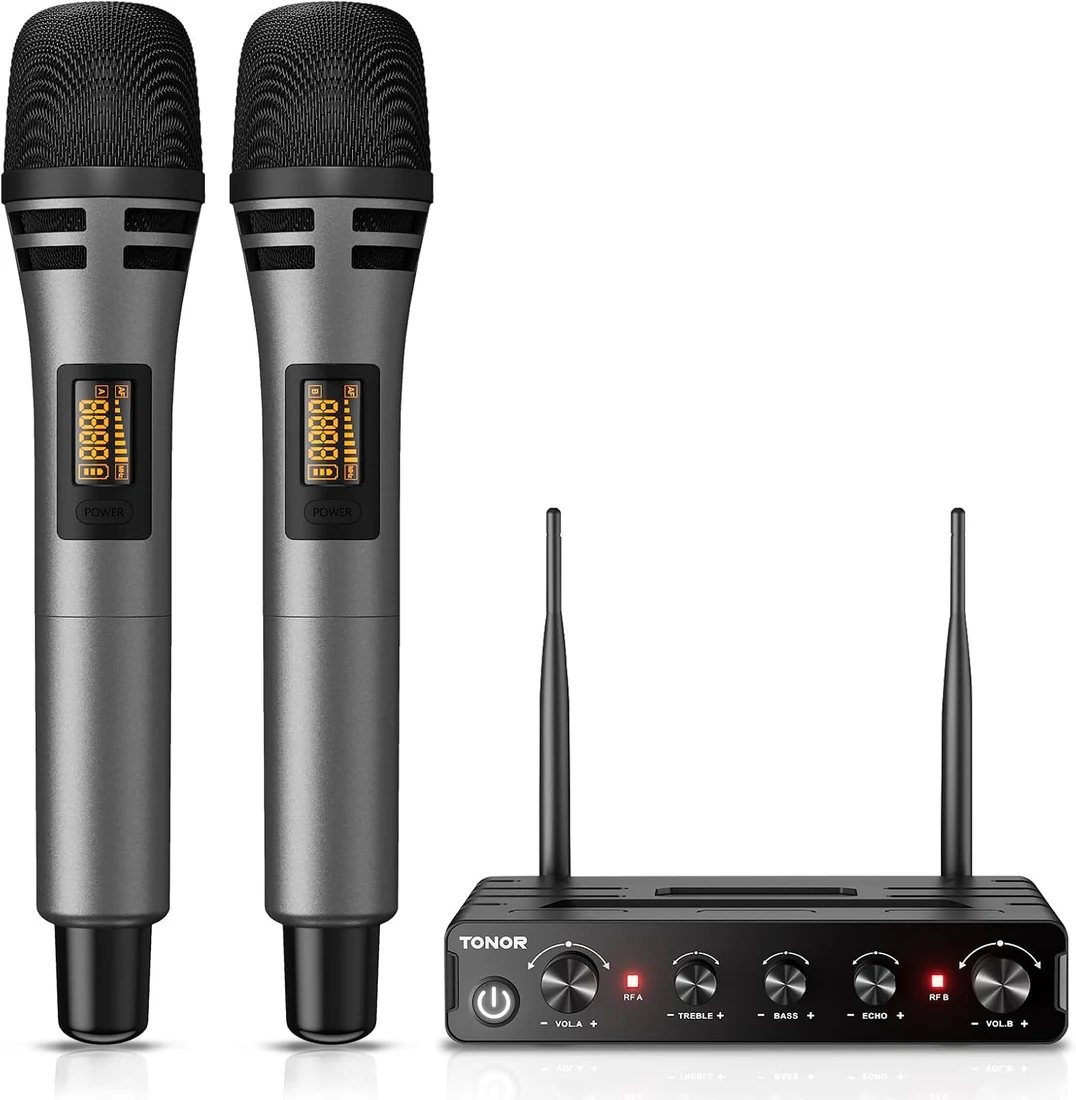
A proper place to start. A whole room of possibilities.
One shopping list.
Four useful picks.01 Speakers & stands02 Wireless microphones03 USB audio interface04 Connecting cable
The gear, without the guesswork
Small budget.
Big first-night energy.
A straightforward sound setup for a smaller venue getting started. Speakers for the music, two wireless mics for the singers, and a simple connection from your computer.
01 / THE SOUND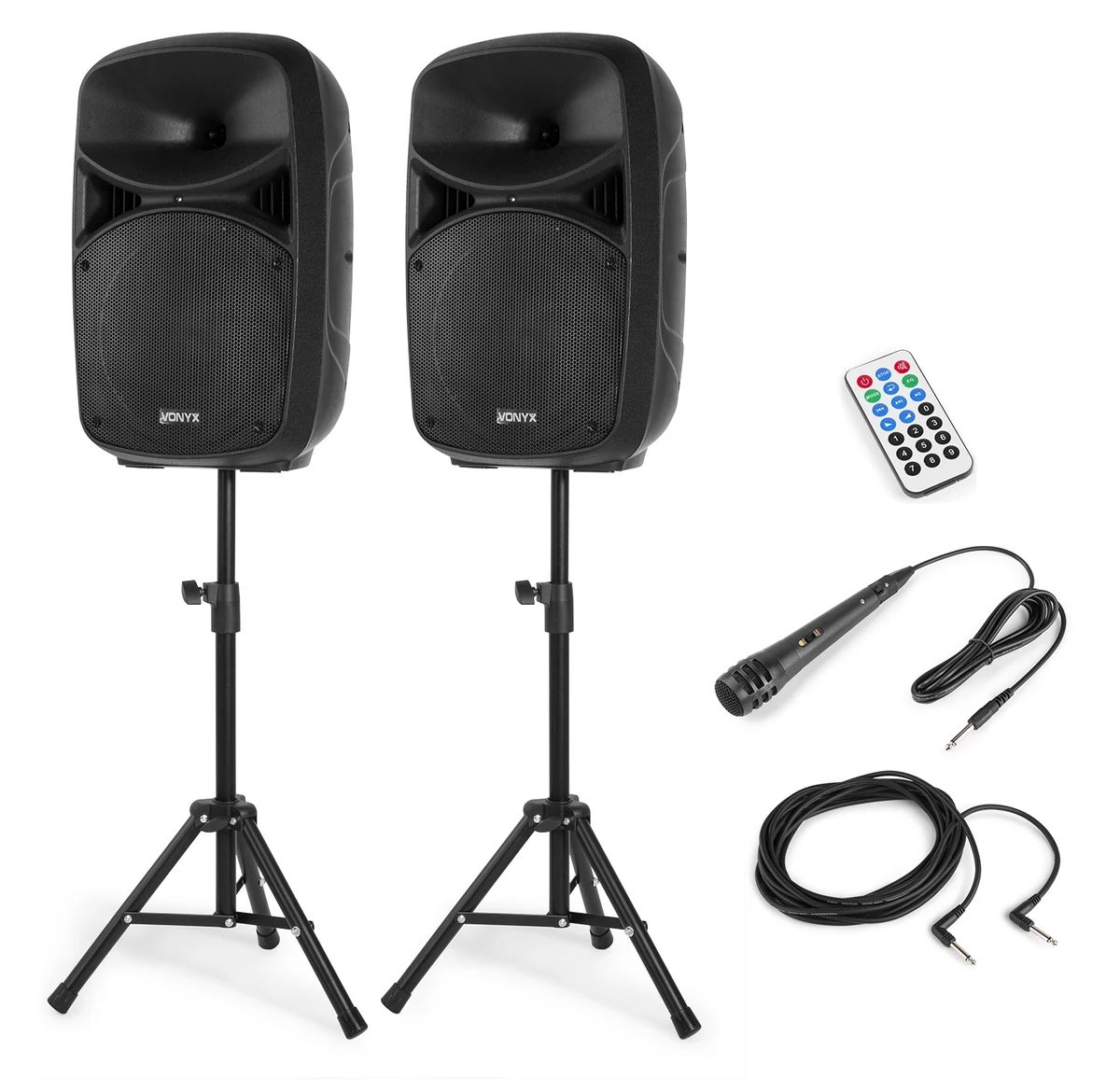 Speakers + stands + speaker link cable
 £169.99
VPS102A speaker system
The foundation of the setup: a 10-inch active/passive speaker pair with stands. The amplifier is built into the active speaker, which feeds the second speaker through the supplied link cable.
- RCA line input for your music
- Microphone inputs with level controls
- A wired microphone is also supplied
★ 4.8/5 from 5 Amazon reviews↗A promising customer score, from a small number of reviews.
02 / THE SINGERSTwo handheld mics + one receiver
 £49.96 offer price
TW350 wireless microphones
Give your singers room to move. Two handheld wireless microphones and a receiver make solo turns, duets and passing the mic between guests easy to organise.
- Two microphones for duets
- Receiver connects directly to the PA
- Supplied 6.35mm receiver cable
★ 4.2/5 from 2,206 Amazon reviews↗Add four AA batteries for the two handhelds; batteries are extra.
03 / THE COMPUTER CONNECTION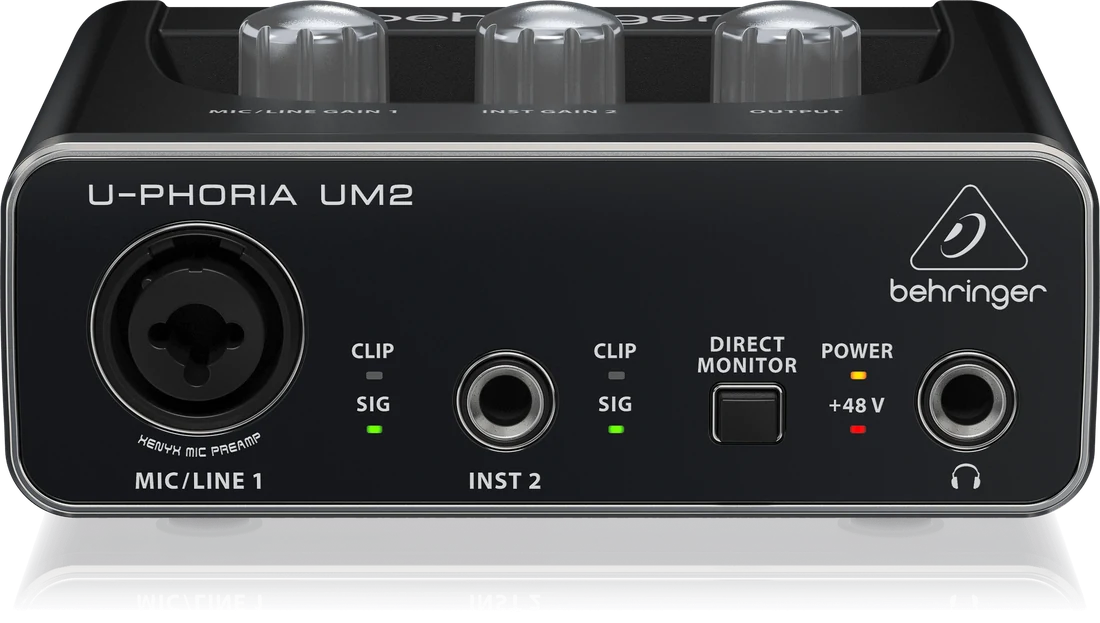 USB in. Stereo RCA out.
 £29.00
U-PHORIA UM2
A simple USB audio interface between your laptop and the speakers. Choose the UM2 as your computer’s audio output, then send its stereo RCA outputs to the PA.
- USB connection to your computer
- Stereo RCA outputs for the PA
- A compact, affordable audio bridge
★ 4.4/5 from 17,564 Amazon reviews↗04 / THE FINISHING TOUCH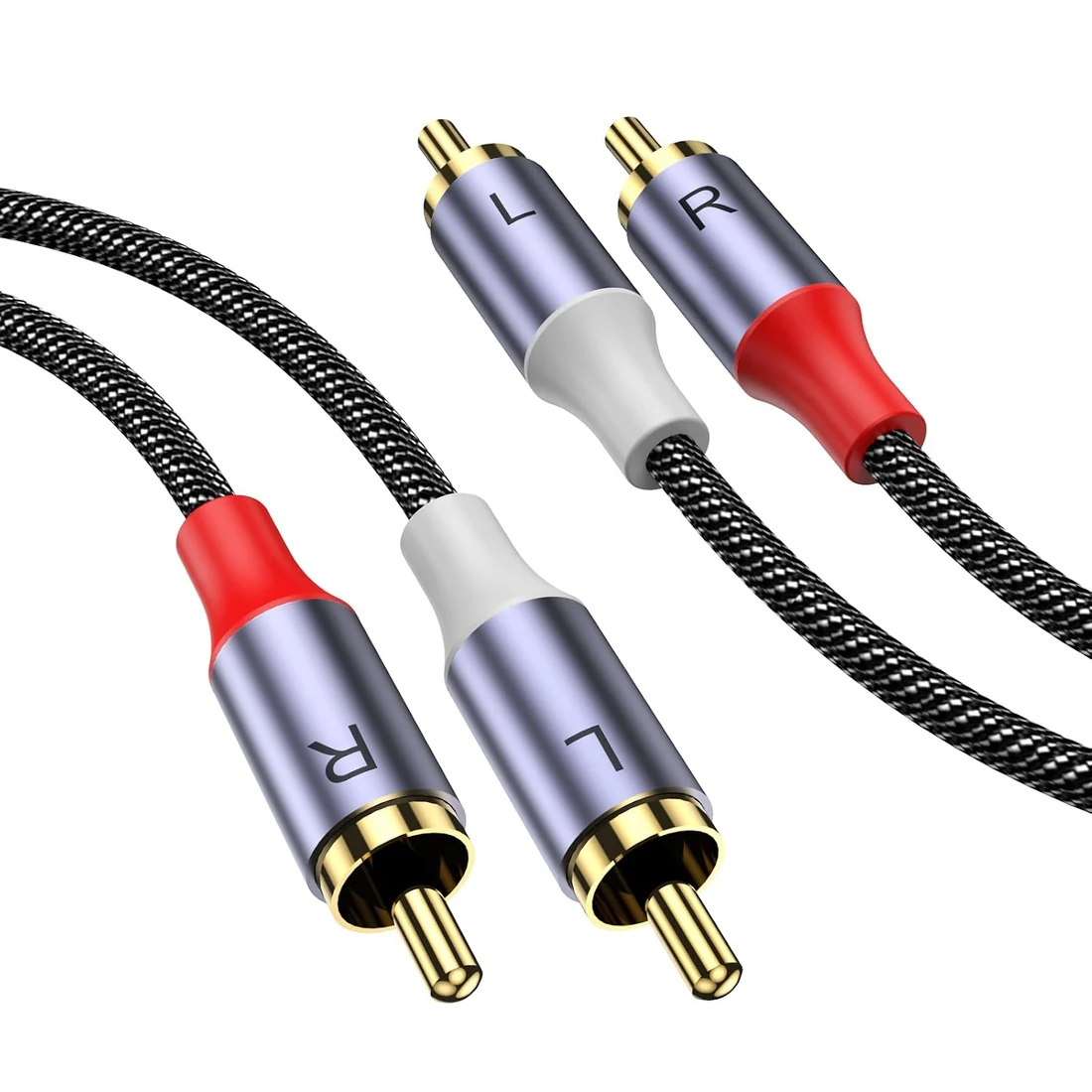 3 metres · stereo RCA male to male
MOSWAG£7.49
3m stereo RCA cable
The small piece that joins it all up. This stereo cable connects the left and right RCA outputs on the UM2 to the RCA line input on the active speaker.
- Two RCA plugs at each end
- 3m length for a nearby laptop
- Colour-coded left and right connections
★ 4.5/5 from 2,836 Amazon reviews↗Measure your cable route before buying. Your room may need a longer cable.
Prices and Amazon customer ratings checked 20 October 2026. Scores and review counts can change; Amazon may combine reviews across product variations. Read the linked reviews and check the selected model before ordering. Brand names and logos identify the equipment; no manufacturer affiliation is implied.
The price of getting started
Less kit hunting.
More first songs.
Four items. One shopping list. Equipment you buy for your own venue and keep ready for the next night.
Open the Amazon shopping list ↗You buy directly through Amazon. Check seller, delivery, availability and the final basket total before you order.
YOUR SOUND KIT20 OCT 2026
- Vonyx VPS102A speakers & stands
- £169.99
- TONOR TW350 wireless microphones Limited offer when checked
- £49.96
- Behringer U-PHORIA UM2
- £29.00
- MOSWAG 3m stereo RCA cable
- £7.49
- Sound kit total
- £256.44
Prices may change, especially the microphone offer. Delivery, batteries and any adapters are additional.
A simple signal path
Here’s how
it comes together.
The computer sends the music to the PA. The wireless microphones feed the PA separately, so you can balance the singers and backing tracks at the speakers.
THE MUSIC
- 01Your laptopRunning Future Karaoke
- USB →02Behringer UM2Select as your audio output
- RCA →03Active Vonyx speakerConnect to RCA line input
- LINK →04Passive Vonyx speakerUse the supplied speaker cable
THE VOICESTwo wireless mics→TONOR receiver→PA microphone input
Use the supplied 6.35mm receiver cable. Start with the levels low, then soundcheck. Make the screen yoursUse a TV you already have.
Connect your computer to a suitable lyrics screen, usually by HDMI. A USB-C computer may need a display adapter and a USB adapter for the UM2.
Give the room a soundcheckStart small. Listen carefully.
Place the speakers ahead of the microphones, set sensible levels and walk the room. Suitability depends on your space, crowd and volume needs.
A few useful answers
Before
you buy.
Need a hand working out what suits your venue? Talk to us.
Is this everything I need for karaoke?
It covers the recommended sound hardware: speakers and stands, two wireless microphones, an audio interface and the RCA cable between the interface and PA. You also need a compatible computer, lyrics screen, internet and a Future Karaoke plan or pass. Add four AA batteries for the wireless mics, any display cable and any adapters your computer needs.
Will this work in my venue?
We recommend it as an affordable starting point for a smaller room. The right PA depends on room layout, background noise, audience size and the volume you need. It is worth testing the setup in your actual space; larger or louder venues may need a more capable system.
Can I use equipment I already own?
Absolutely. If your venue already has a suitable PA, microphones or an audio interface, you may only need some of the list. Check the available inputs and connections first, or ask us about your current setup.
Do these microphones run through Future Karaoke?
In this starter setup, the wireless receiver plugs directly into the PA, while Future Karaoke supplies the music over USB through the UM2. The microphone audio is mixed at the PA. Software microphone processing would need a different audio routing setup.
Is the price guaranteed?
No. The four listed items totalled £256.44 on 20 October 2026, including a limited offer on the TONOR microphones. Amazon prices, stock, deals and delivery charges can change. Batteries, adapters and the other essentials listed above are extra.
Your venue. Their favourite songs.
The next big night
could start right here.
Put the sound in place. Then let your regulars take the mic.
Around £250 for the sound kit. Other show essentials and ongoing costs are additional.